Monday, 14 July 2014

The Classic Car Shoot.`

When you think photo shoot, you don't normally think smart phone.
Granted, you will never be able to match a DSLR cameras, but who says you cant do a decent photo shoot without spending hundreds of pounds extra on a camera? 
Smart phone technology now days, especially in the new Xperia line, such as the Xperia Z2 and Xperia Z1 Compact, have greatly improved. Both phones have had the pleasure of three bits of award winning Sony technology crammed in to each layer of their camera. The Bionz image processor, the Exmor RS senor (1/2.3") and a whopping 20.7 megapixels to play with. Not to mention a range of features which are only recently available to the smart phone cameras such as High Dynamic Range (HDR), Augmented Reality and 4K video recording. 


I had the pleasure of being introduced to my good friend Ella's classic car and pet project, the Ford Prefect 107e (1960). Once owned by her aunt in 1989, it spent 4 years on the road until it had gear box trouble so it went in to storage. In 2010 Ella found it and immediately wanted it. With the combined effort of herself and her granddad, they both managed to restore it to its former glory...it passed its MOT in June the 15th, 2012. 

 A background defocus shot taken of the bonnet with a HDR (nature) feature added through Snapseed.


I couldn't help but keep taking photos of her beautiful car every time I saw it, so we both decided to do a bit of a photo shoot so I could get my fix. We drove down to the beautiful village of Over in Cambridgeshire near the river where we could get some space and a nice surrounding to shoot. The weather was absolutely perfect, so we would have been foolish not to have taken advantage of this rare opportunity.


 The car is incredibly photogenic, as is Ella. The car looks great with a HDR filter. 

We added a nice vintage filter to this picture to give it that true 1960's feel. 

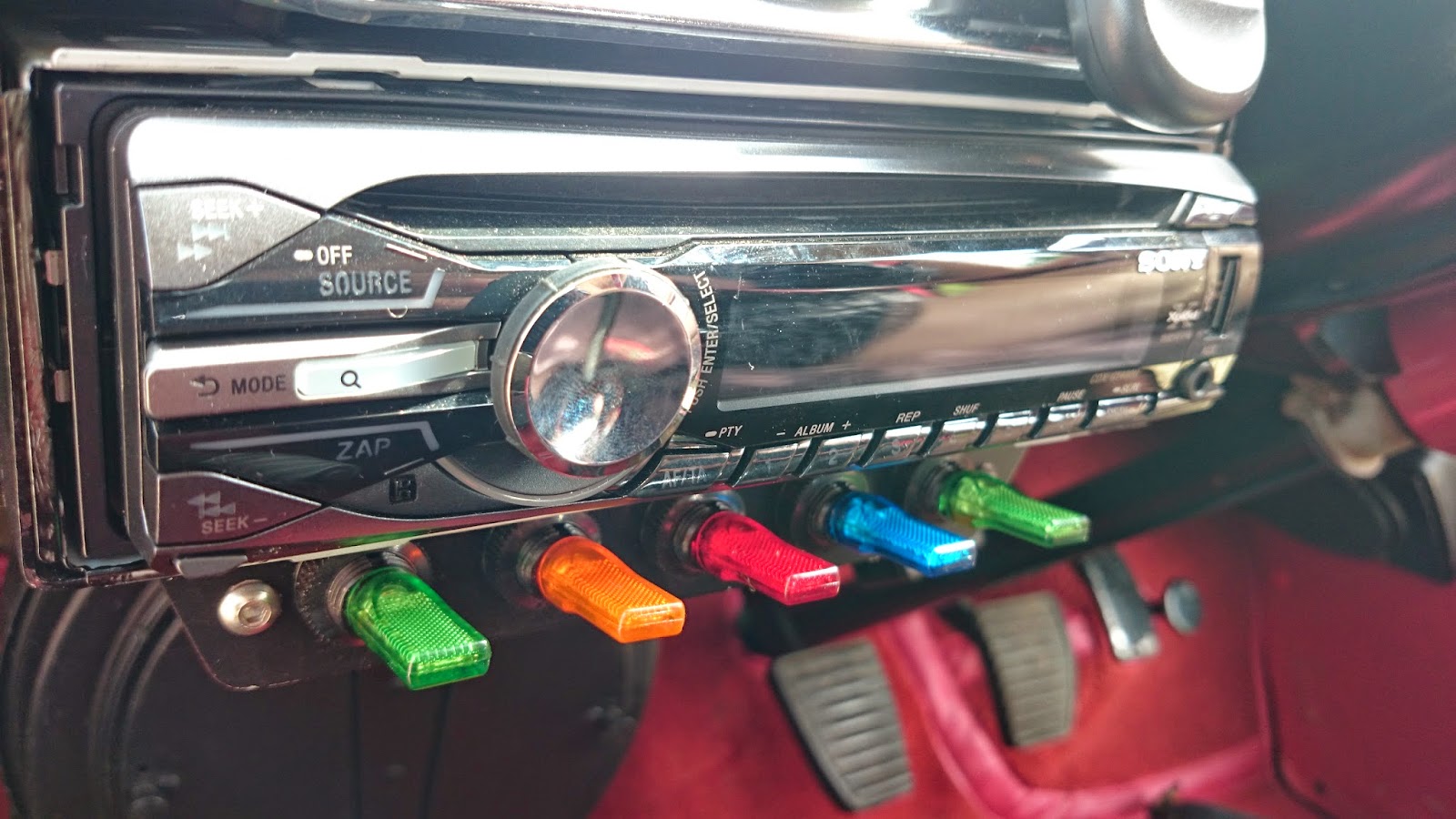
After a few pictures of the car in its surroundings I decided to open it up and have a look at the interior. The car has been excellently maintained and even has a few new modern touches which doesn't ruin the look or feel of the retro vehicle. 

 Ella's tribute to Ace Cafe, London. 

The original Ford Prefect key.


Steering wheel.

 Sprawled in comfort and style on red leather seats.

The leather interior in the Ford Prefect really made me realise how cheap and classless the interior of my Seat Leon is. 
(Non HDR)
The original photo from above, but before the HDR filter was added through Snapseed. Please let me know which one you prefer and why.

We decided to look around the outside of the car in more detail and see what give it its character. The car has so many decent characteristics and I am sure you will agree.


 A few minor imperfections still left to fix up.

Wing mirror selfie.

 A smile never seen anywhere other than in her Ford Prefect!


Ella has recently come back from Ace Cafe in London and absolutely fell in love with the place. She wanted to show her respect by wearing the jacket with her car.
Ella poses in her Ace Cafe jacket. 

Background defocus used with HDR. 
The new Background Defocus technology still has a few kinks to work out, often struggling with being able to tell which part of the photo it needs to focus on, and which part to defocus on. Its quite temperamental too, this photo taking many many attempts to even get this right.

We used another filter. This time we used the "sunrise" filter rather than "vintage" one, which worked equally well. It made the picture look almost like it was taken "back in the day".

We had some good fun today, posing with classic cars, taking pictures in the sun and relaxing near the river. I really enjoyed seeing what the Xperia Z2 was capable of. Camera phones clearly do have some way to go to catch up with professional cameras but at the same time they have come a very long way from even last year.
 I really enjoyed using the High Dynamic Range through Snapseed, which worked very well in most instances (Click here to see what it can do with landscapes). The "Background Defocus" mode was temperamental and took many attempts to get right, so you have to me patient, it usually ended up coming good and being worth it. There were a few issues with the background defocus struggling to understand when the background and foreground start and finish, but usually worked out ok. I look forward to seeing this technology being updated in the future. 


The "sunset" and "vintage" filters used today were from the Cymera app. Again, one of the advantages mobile phone apps have over transitional cameras as they have access to thousands of apps which have cool little features and tricks.


Thanks for reading.


Wednesday, 2 July 2014

Using Snapseed at Felixstowe beach! (HDR)


I have recently discovered Snapseed on Android. Its basically a photo editing application which seems to be able to make almost any photo look incredible (or at least very different).

I went on a trip to Felixstowe beach in the UK on a hot summers day and try out some of its capabilities. A lot of these photos were quite simply a point and click action with Superior Auto on my Xperia Z2. Then running "HDR Scape" on Snapseed, I updated the photos afterwards, which is a great way of doing it, as you don't have to worry about setting the camera up before taking the photograph then having to take a second photo after for a regular shot.


Before HDR
After HDR

The HDR feature gives the sky a really deep blue on this photo and brings out some of the greenery in the front of the picture. You will also notice the sea waves have been brought out more and the flowers are much more vibrant without sacrificing any other colour, which is something I noticed happens with the regular HDR feature on the Xperia camera.  Though I would say that the HDR has made the flowers, especially the green parts, a little over saturated so you wont always get it perfect, it depends on what you want. 


Luckily though, you have the choice between four HDR settings, Nature, People, Fine and Strong. This is particularly handy as HDR in its default mode (Nature) doesn't always work out the way you want. It also gives us the ability to fiddle around with the parts you might not be happy with, like with the over saturation of the green flower stems in the original Nature shot above. The Strong setting has toned down the HDR effects on the flowers and gives it a little more subtle effect so has worked out well in this example. 


Sometimes it is good to have a choice as Nature doesn't always work out best for nature shots and certainly doesn't work well with faces, as you can see above, the Nature setting makes me look like a ghost and brings out a very pale glare in my skin. The People setting has handled it a lot better.

As you can see with the picture of my friends on a bench below, the people mode works out the more subtle option here too. There isn't as much colour saturation as Nature mode, which can be a shame but the setting still manages to bring out the clouds and colours nicely and doesnt ruin the people, who are often the centre point of your picture. 


More examples on default Nature Mode. 

The Beach

Before HDR
After HDR.

I quite like both photos as much as each other, if I had to chose in fact I might actually pick the original photo. Though I think you will agree that the HDR feature adds such a subtle yet vivid effect to the picture. There are still 3 other settings to use if you aren't completely happy. 

The Shacks. 

Before HDR
After HDR.

I love the way that HDR brings out the clouds in this photo. This is something you will notice happens a lot with this app. Even the nicest clouds get given a deep dark and dramatic texture. You will also notice that the wood has more of a vibrant and a rough texture which looks great. The HDR feature works so well in this example and I am very happy with this photo.

The Fountain.

Before and after HDR.

The Superior Auto picture looks a little washed out, the HDR really puts some more shadow and depth back to the photo and brings it back to life. Good save Snapseed!

The Building.

Before HDR
After HDR

As you can see again, the clouds are brought out with the HDR as well as brightening up the front of the picture which removes a lot of the shadows, without much loss of colour depth. Though if you really enjoy deep blacks and sharp images HDR might not always been a good option for you.

The Beach.


The photo is probably the best example of HDR here. Nearly everything looks bolder, warmer and has better texture, especially the sand. The original picture actually looks a little washed out until Snapseed gets its hand on it. This is probably helped by the fact that we cannot see any ones faces in the picture so the Nature setting brings out everything well.

The Pier. 


HDR really makes this photo much bolder and brings out the colour and fun of the seaside. The original picture in fact looks quite gloomy in comparison.

Snapseed welcomes Sweep Panorama too.

Before HDR
After HDR

Critisms:

Snapseed offers so much more than just HDR, though it is easily my favourite feature at the time being. Its one of the most exciting photography apps I have ever tried and probably one of the most used apps of any type too...and is completely free!
Though there are still one issues which I have noticed. It doesn't seem to like editing photos when stuck in 20 megapixel mode on my Xperia Z2. This will not effect most users as the Xperia Z2 is a special case, and to be fair, it doesn't really bother me that much either as you can easily stick it in to 16 megapixels. 

I think if you dislike HDR then you probably wont be won over by Snapseed because their HDR, though better than others I have seen, still suffer from colour and black washing which is a very common criticism from people I have talked too. Though it is certainly an improvement from other HDR features I have seen and I think most people will be able to find a use for this.

I think the HDR feature on Snapseed is far superior than the stock HDR feature on the Sony camera. If  you enjoy HDR or simply want to jazz up your pictures, then give Snapseed a try!

I highly recommend this app.